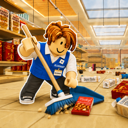
Clean The Superstore FAQ
01What should I do first?+
Pick up one nearby misplaced item, read the hanging category signs, then confirm the shelf prompt before placing it. Finish one small area before roaming farther.
02How do I earn points?+
The official game description says filling shelves earns points, and those points unlock upgrades.
03What are the PC controls?+
Q drops the held item, click places it, and the scroll wheel cycles held items. Follow current in-game prompts if controls change.
04Can I play alone?+
Yes. The official description supports solo play and teaming up with friends. The best route changes, but accurate shelf matching matters in both modes.
05Which timed badges are confirmed?+
Roblox badge data lists Casual Cleaner for finishing under two hours and Speed Cleaner for finishing under one hour.
06Does progress save if I leave?+
No public source checked for this guide confirms the save rule. Plan serious timed attempts as uninterrupted sessions instead of relying on an assumed save.
07Are there active codes?+
No code-redemption system or active codes were confirmed in the official information checked on August 12, 2026. Similar game names can lead to unrelated code lists.
How this guide separates evidence
Publicly supported
Official game description, official game media, or Roblox public badge data.
Practical advice
Routing and co-op suggestions that are useful but are not official rules.
Deliberately not claimed
Exact upgrade values, full ability lists, save behaviour, code redemption, and a universal fastest route.